Android app · free and non-profit

Help Deaf patients and clinic staff understand each other.

silentcare is an app for a clinic's shared phone in Ghana. Patients answer with pictures and see the doctor's questions in Ghanaian Sign Language. Staff speech becomes captions, and the patient's typed replies are spoken aloud.

Coming soon toGoogle Play

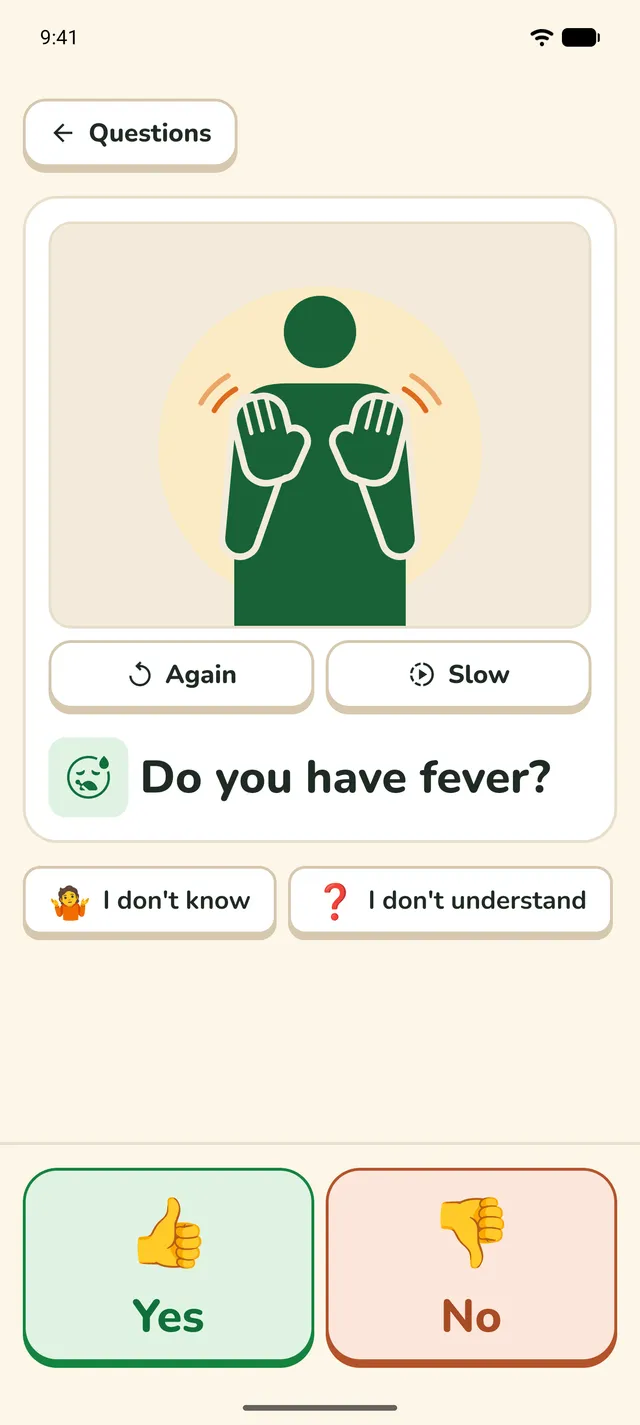
A doctor's question, "Do you have fever?", with an illustration of a signer in place of the sign language video, and Yes and No answers.
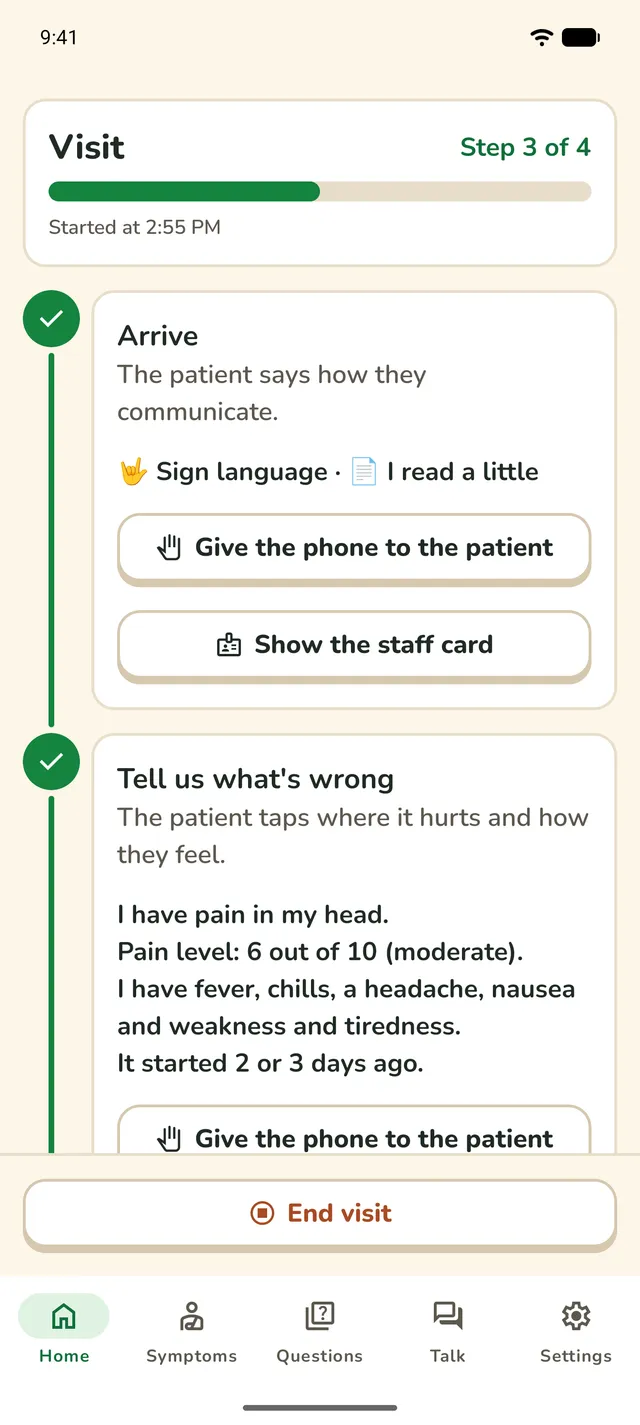
Home during a visit: steps 1 and 2 are done, and the patient's answers are shown.

In short

The visit

How a visit works

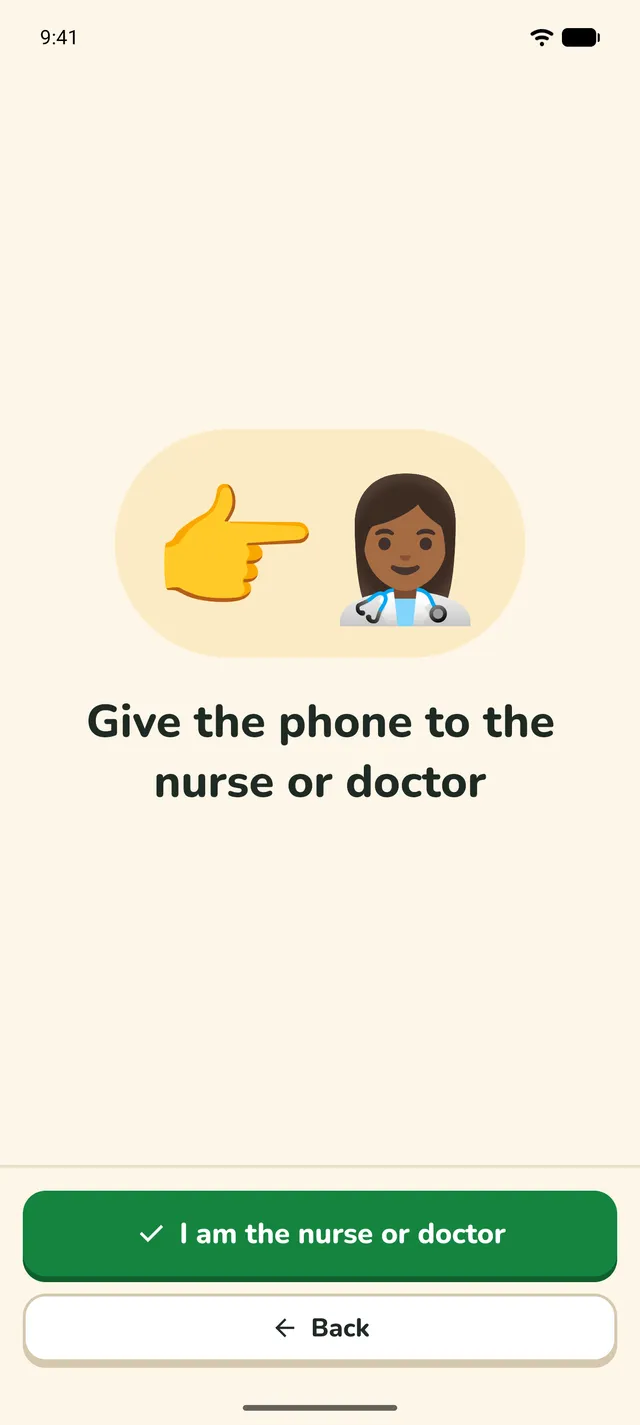
A nurse or doctor leads each visit on the clinic's phone. Full-screen pages show when to hand the phone over, so everyone knows whose turn it is.

  1. Step 1: Arrive

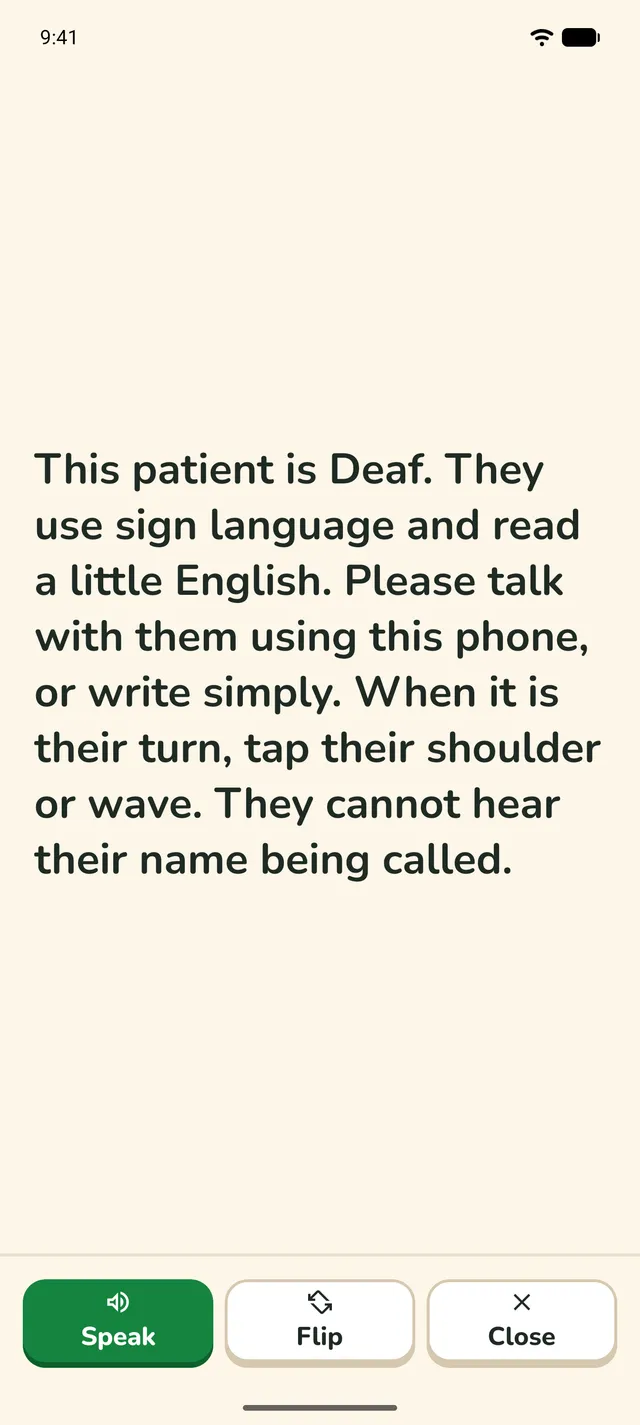
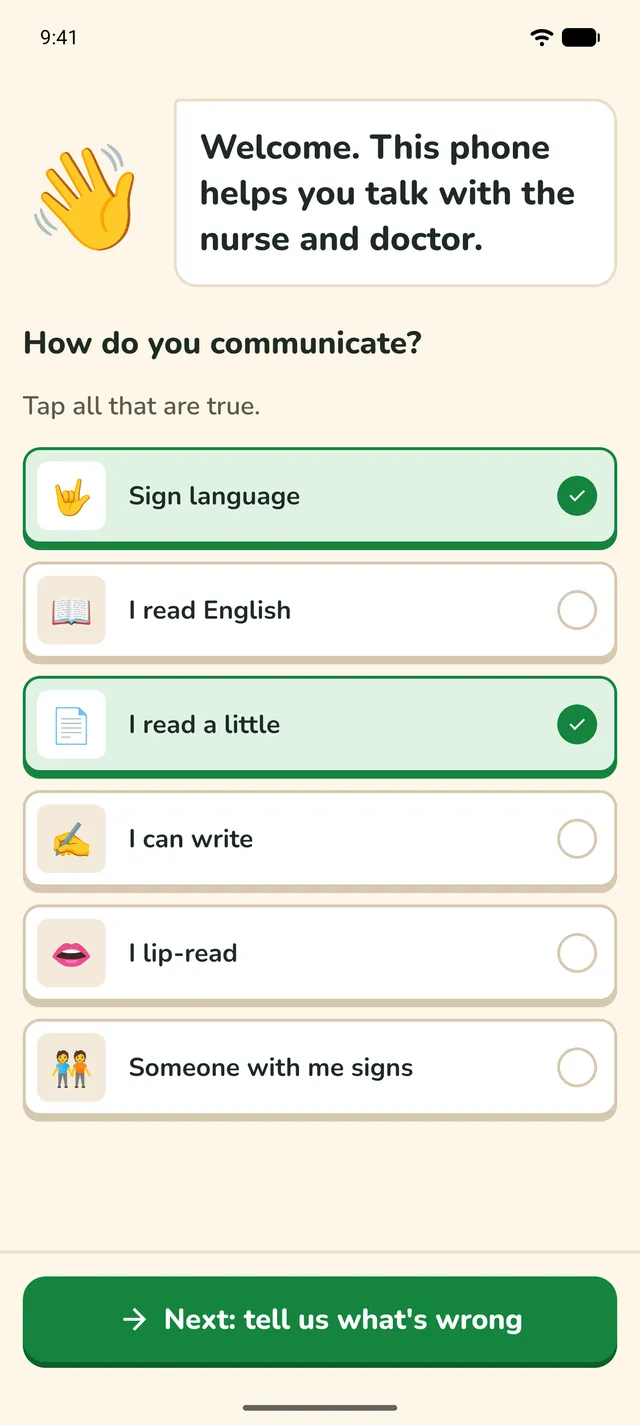
    The patient shows how they communicate: sign language, reading, writing, lip-reading, or with someone who signs. A staff card tells each desk how to talk with them.

    The Arrive screen: "How do you communicate?", with Sign language and "I read a little" ticked.
  2. Step 2: Tell us what's wrong

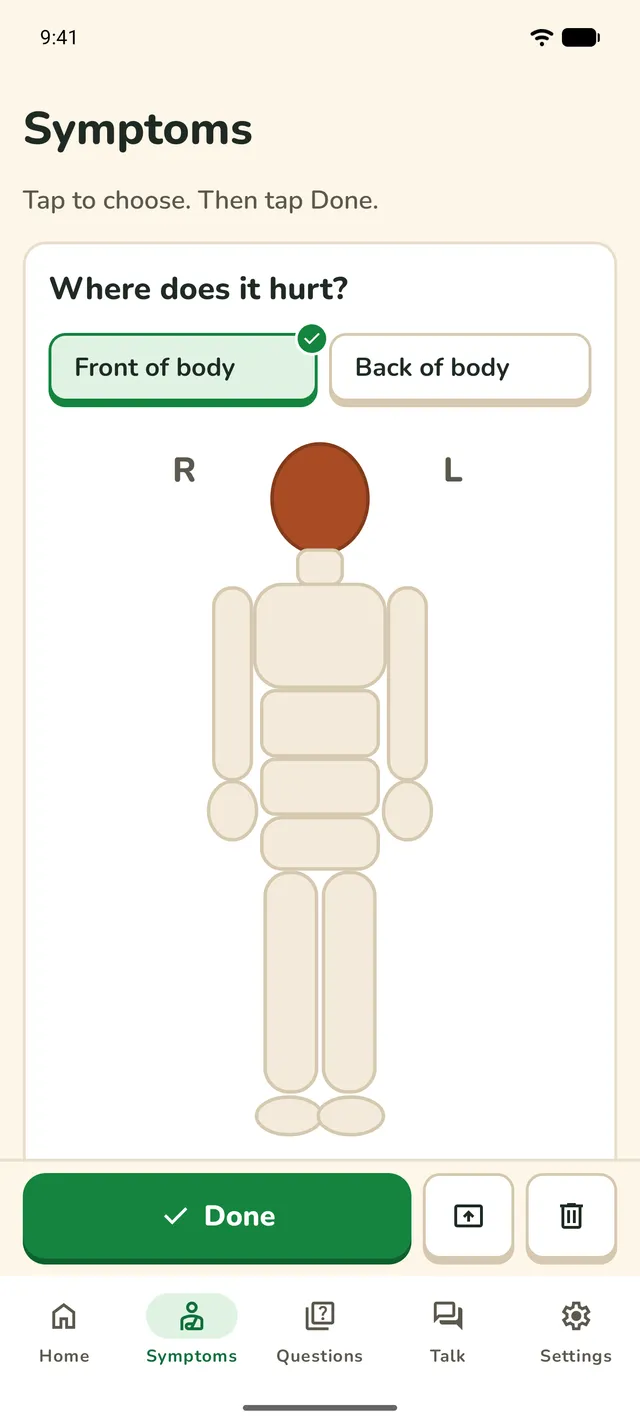
    The patient taps where it hurts, how much, and what else they feel, all with pictures. Then they hand the phone back.

    The Symptoms tab: "Where does it hurt?" on a body map, with the head tapped.
  3. Step 3: With the nurse or doctor

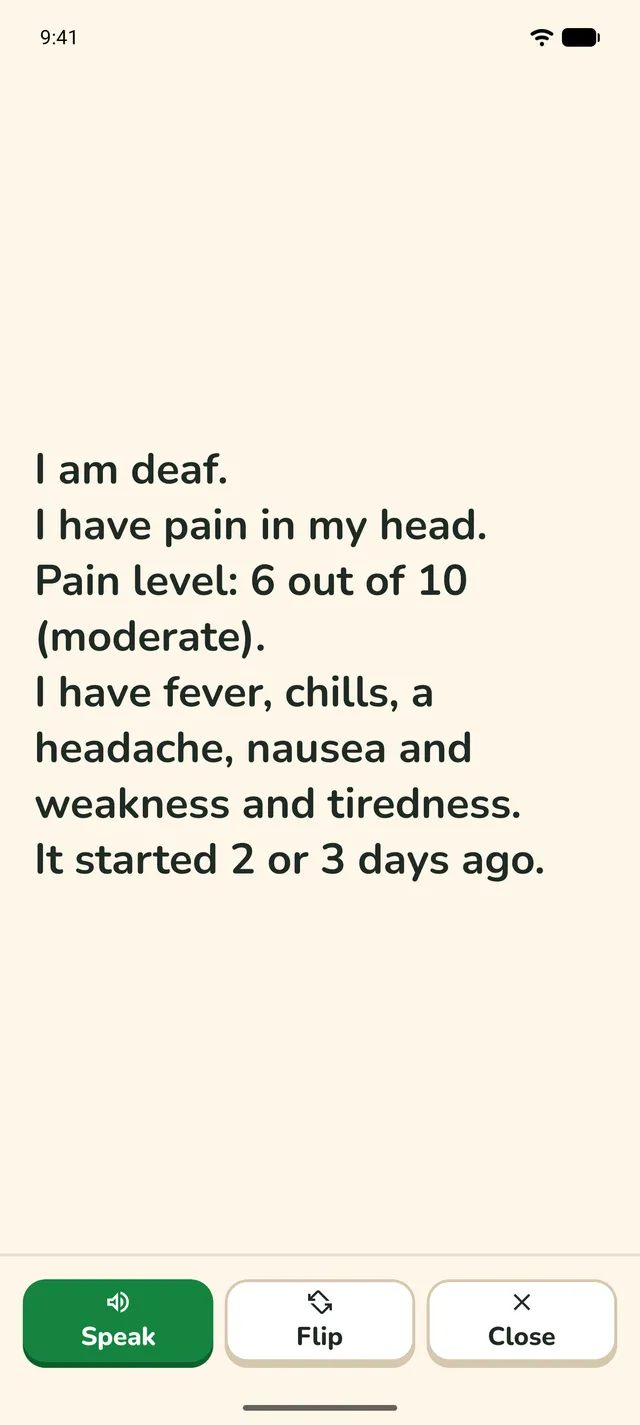
    The clinician sees the patient's answers as plain sentences. Then they ask questions with sign language videos, and talk with captions.

    The patient's answers in large text: I am deaf. I have pain in my head. Pain level: 6 out of 10 (moderate).
  4. Step 4: Before the patient leaves

    Check the instructions were understood, and give the patient a card that shows where to go next. End visit clears everything for the next patient.

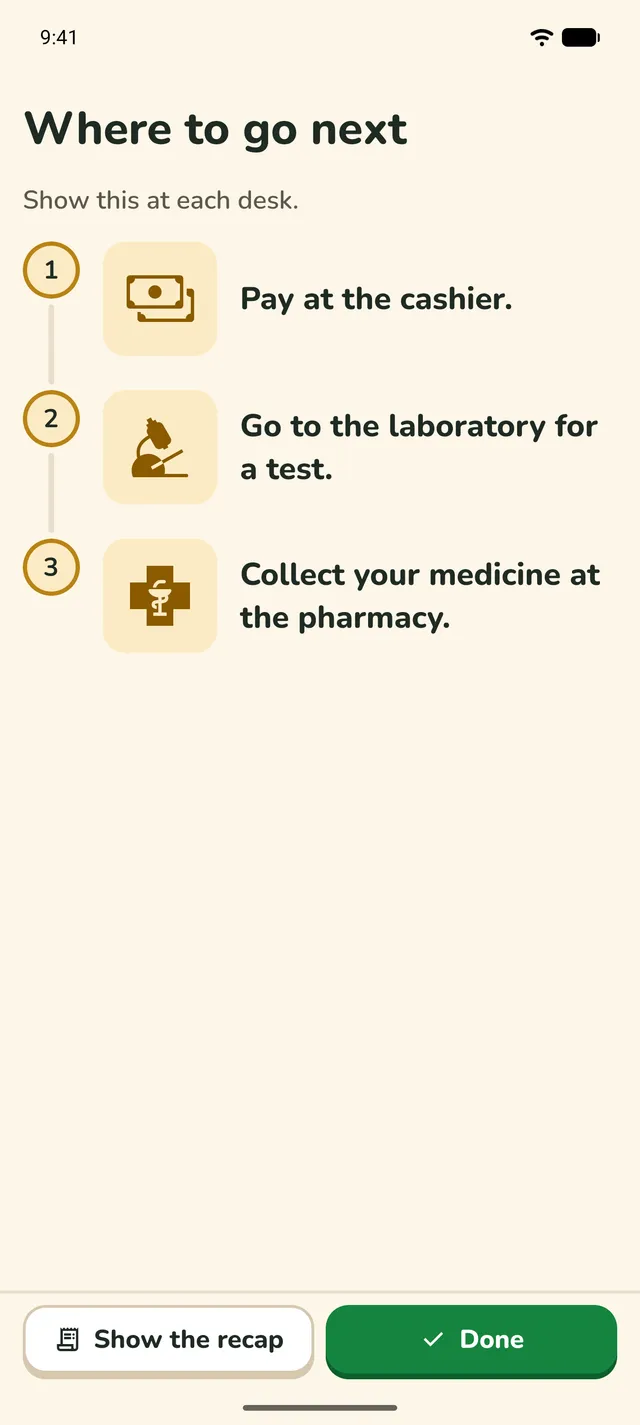
    The "Where to go next" card, with pictures: pay at the cashier, go to the laboratory, collect your medicine at the pharmacy.
Features

What's in the app

Five tabs: Home, Symptoms, Questions, Talk and Settings. Home runs the visit, and the others are the tools a visit uses.

A guided visit

Home shows the four steps of a visit and what to do next. Full-screen pages show who should hold the phone, and a staff card tells each desk that the patient is Deaf and how to talk with them.

  • Four steps on Home
  • Full-screen handover pages
  • A staff card for each desk
  • A recap and End visit
A full-screen page: "Give the phone to the nurse or doctor", with an "I am the nurse or doctor" button.
The staff card: "This patient is Deaf. They use sign language and read a little English. When it is their turn, tap their shoulder or wave."

Symptoms, with pictures

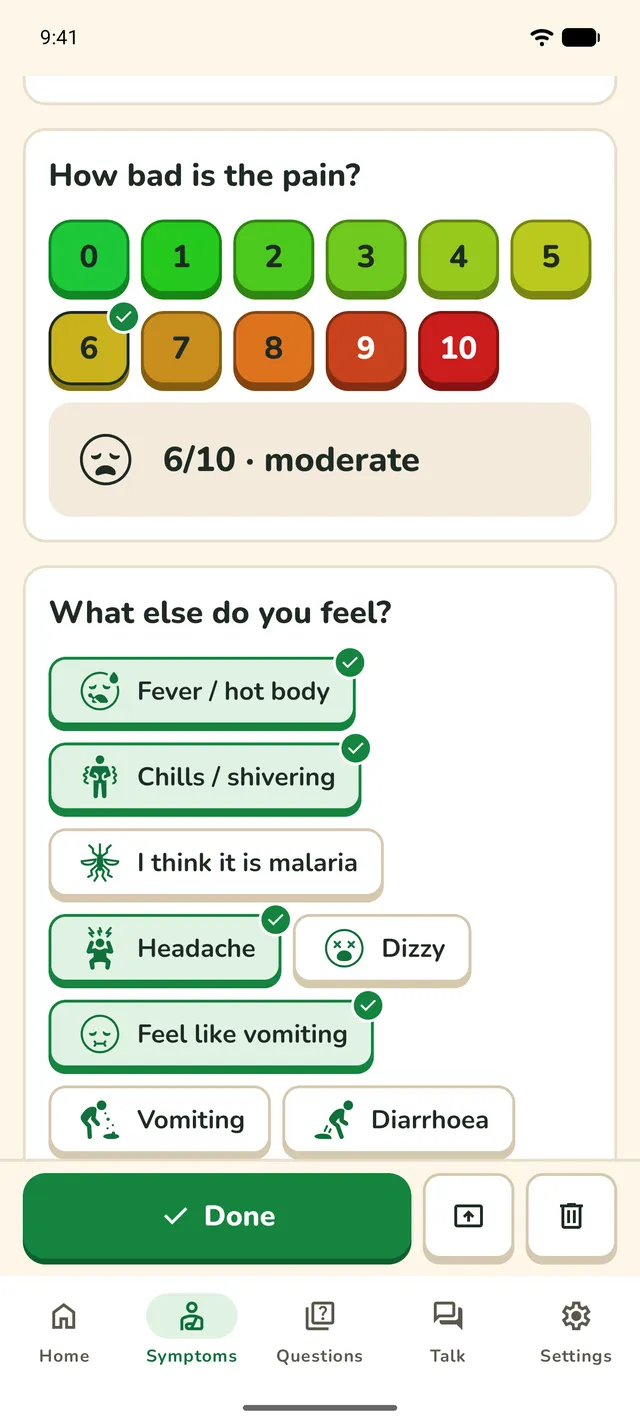
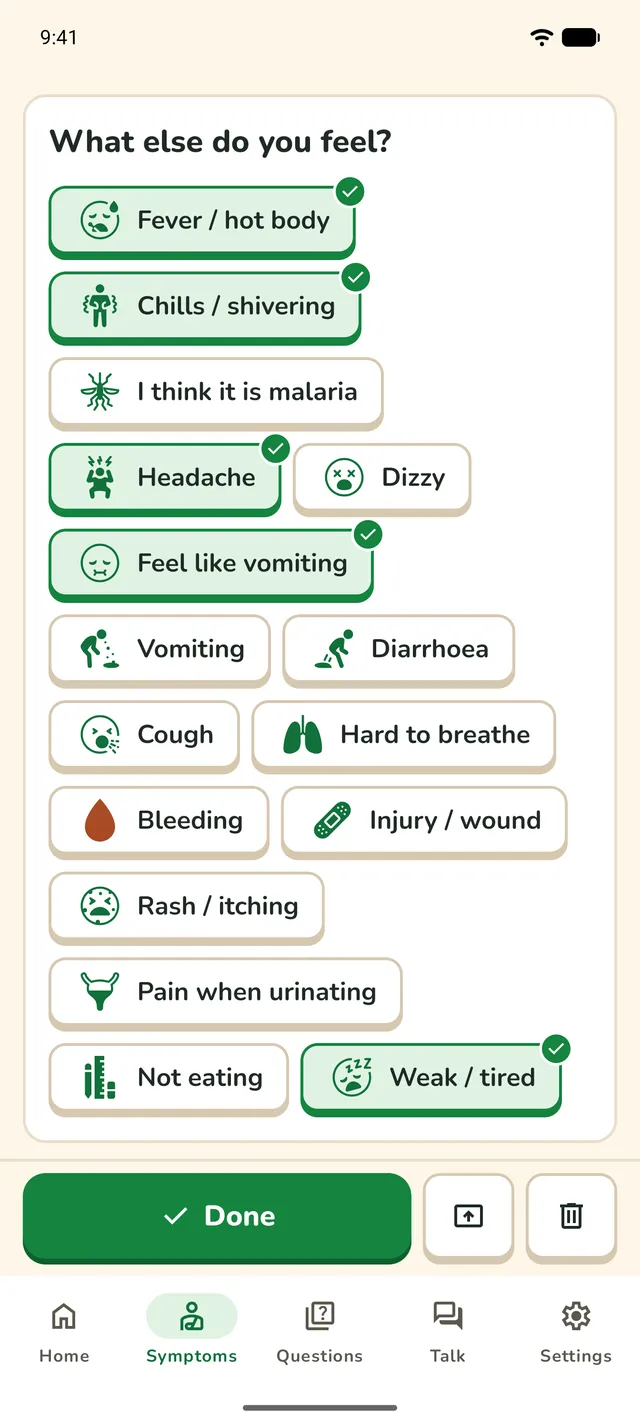
A body map, a pain scale with faces, and symptom cards in groups. The patient taps their answers, and the app turns them into plain sentences for the clinician.

  • Tappable body map
  • Pain scale from 0 to 10, with faces
  • When it started
  • A summary to show the doctor
The pain scale from 0 to 10, with 6 chosen: "6/10, moderate", and a face.
"What else do you feel?" with picture chips, and fever, chills, headache, "feel like vomiting" and "weak / tired" ticked.

Doctor's questions in Ghanaian Sign Language

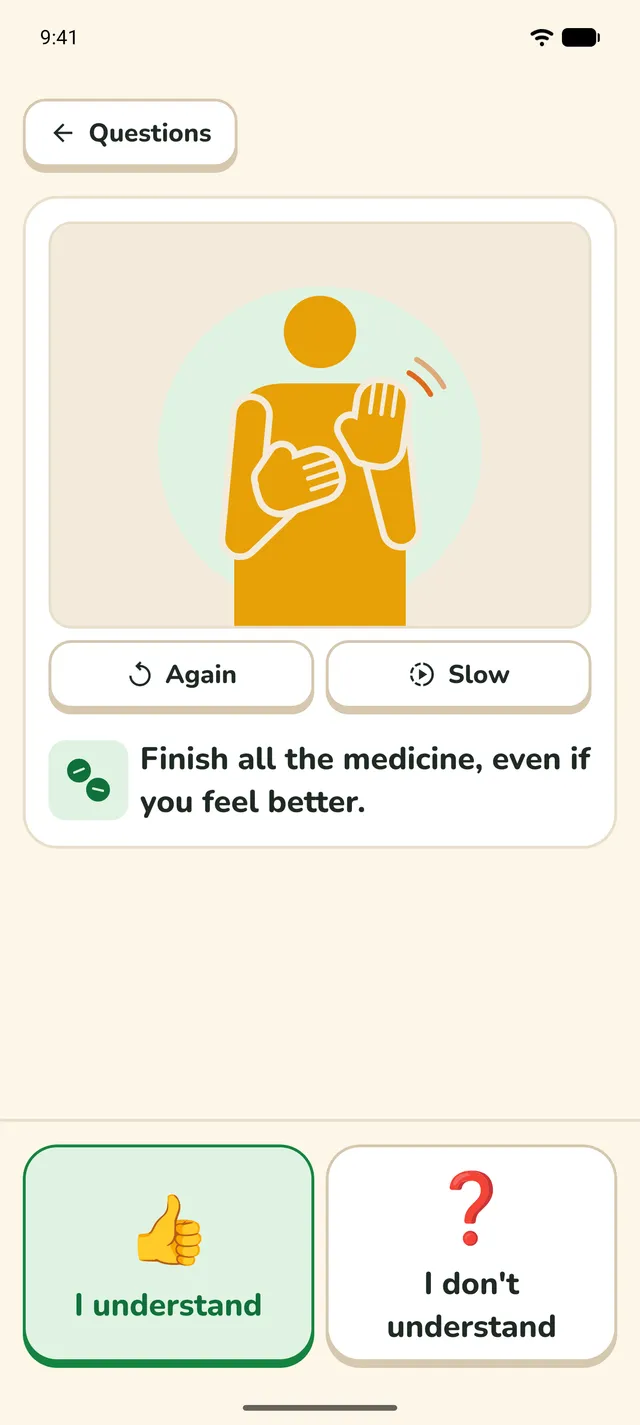
53 questions that nurses and doctors often ask. Each one has a video of the question signed in Ghanaian Sign Language, and the patient answers with pictures, yes or no, or the pain scale.

  • Again and Slow for every video
  • General and Pregnancy (antenatal) sections
  • Instructions confirmed with “I understand” or “I don't understand”
"Do you have fever?" with an illustration of a signer in place of the video, Again and Slow buttons, and large Yes and No answers.
"Finish all the medicine, even if you feel better", with an illustration of a signer in place of the video, and "I understand" and "I don't understand" buttons.

The right question, fast

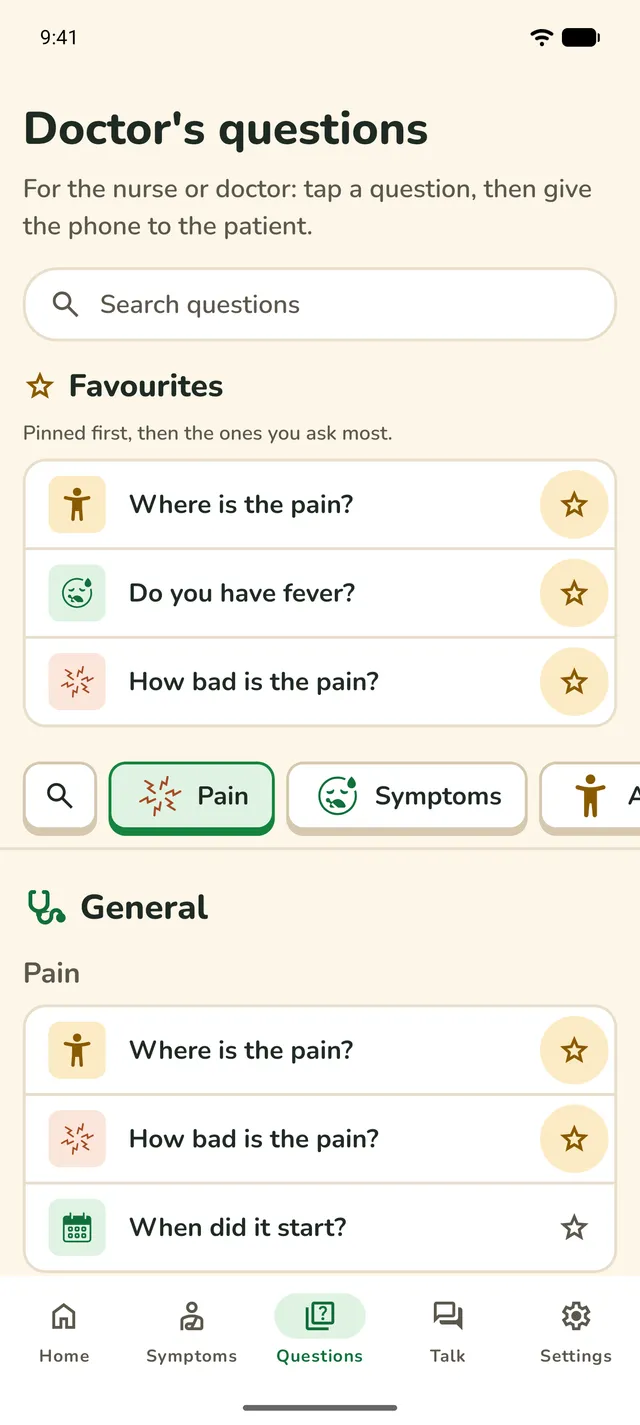
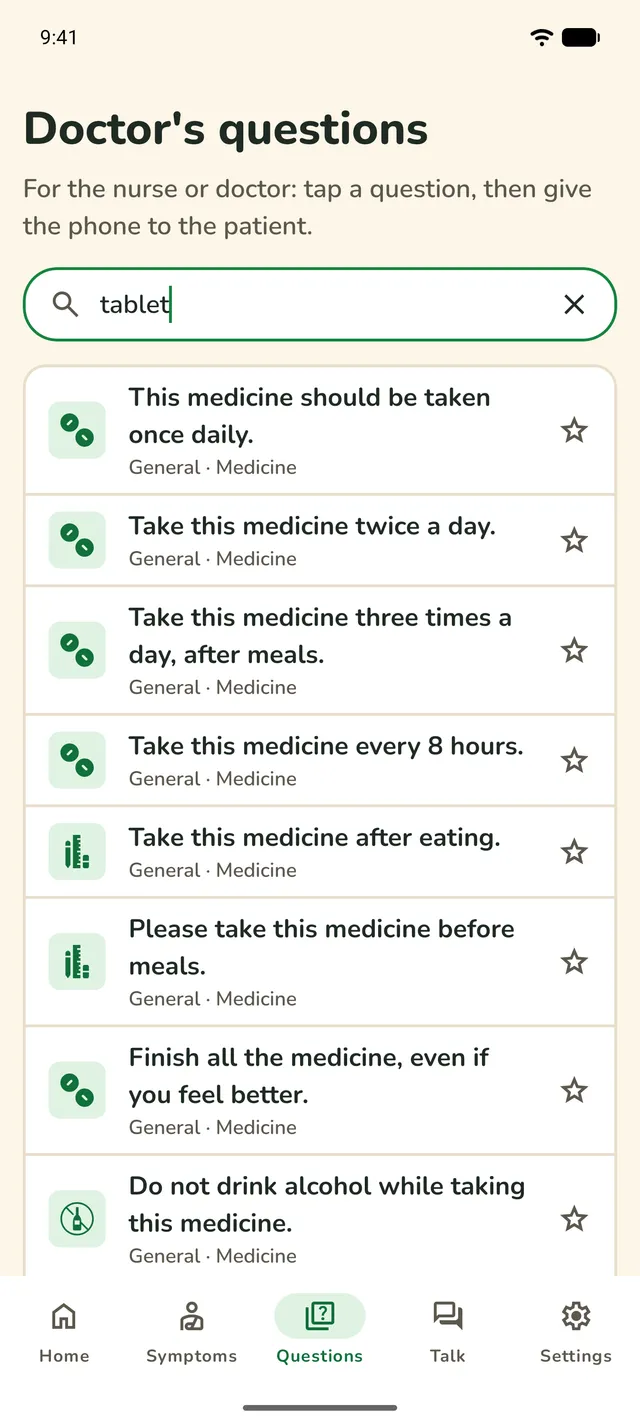
Search by what a question says, its group, or everyday words such as “tablet” or “ANC”. A bar of group chips stays pinned at the top, and Favourites keeps the questions your clinic asks most.

  • Search
  • Pinned group bar
  • Pin up to 3 Favourites
  • Most-asked questions added for you
Doctor's questions: a search box, three pinned Favourites and the bar of group chips.
A search for "tablet", showing the medicine instructions.

Talk: captions and spoken replies

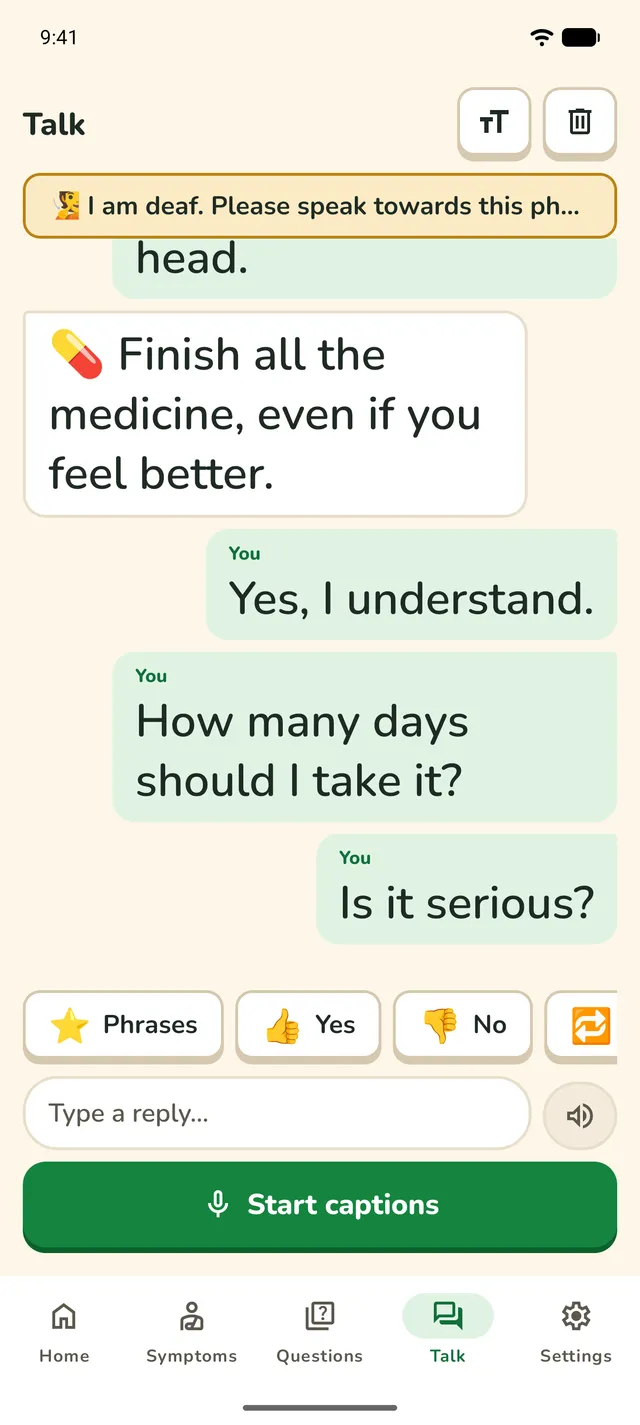
The clinician's speech shows as live captions. The patient replies by typing or tapping a quick phrase, and the phone speaks it aloud. Both sides show as chat bubbles.

  • Live captions
  • Type to speak
  • Quick phrases
  • Full-screen text with Speak and Flip
Talk: the clinician's message on the left, the patient's replies in green bubbles on the right, quick replies and Start captions.
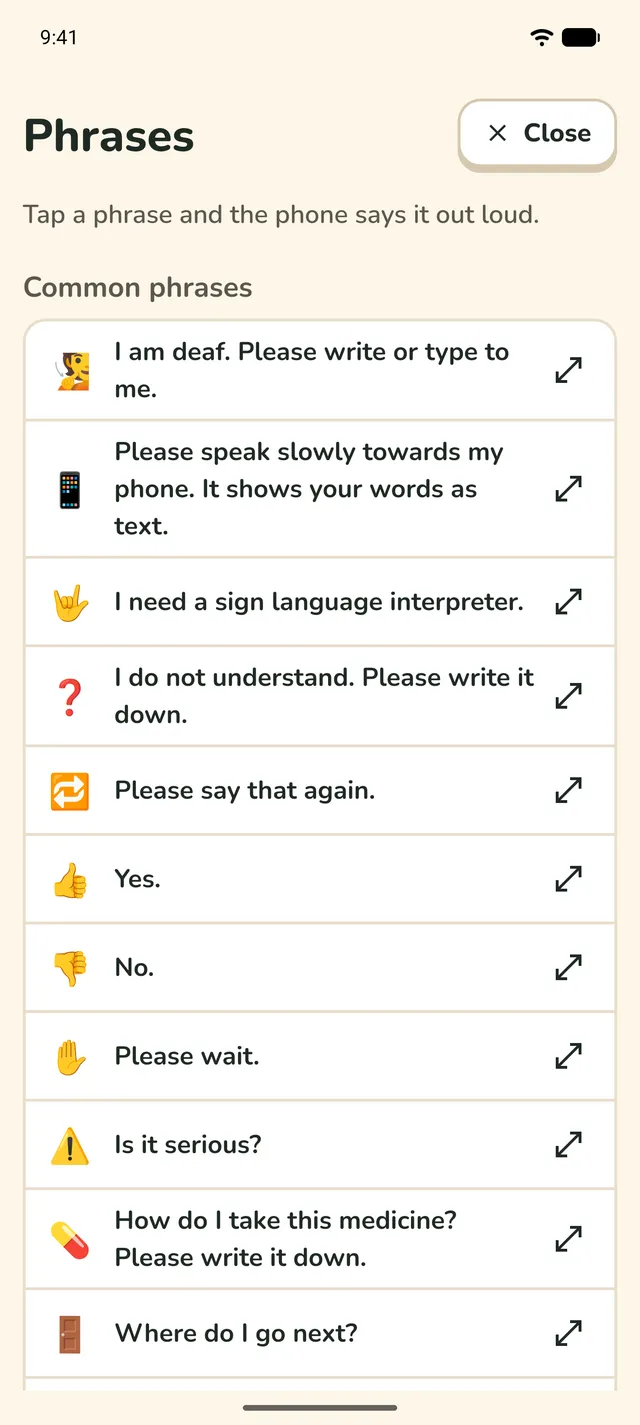
Phrases: common phrases such as "I need a sign language interpreter", each with an emoji.

Where to go next

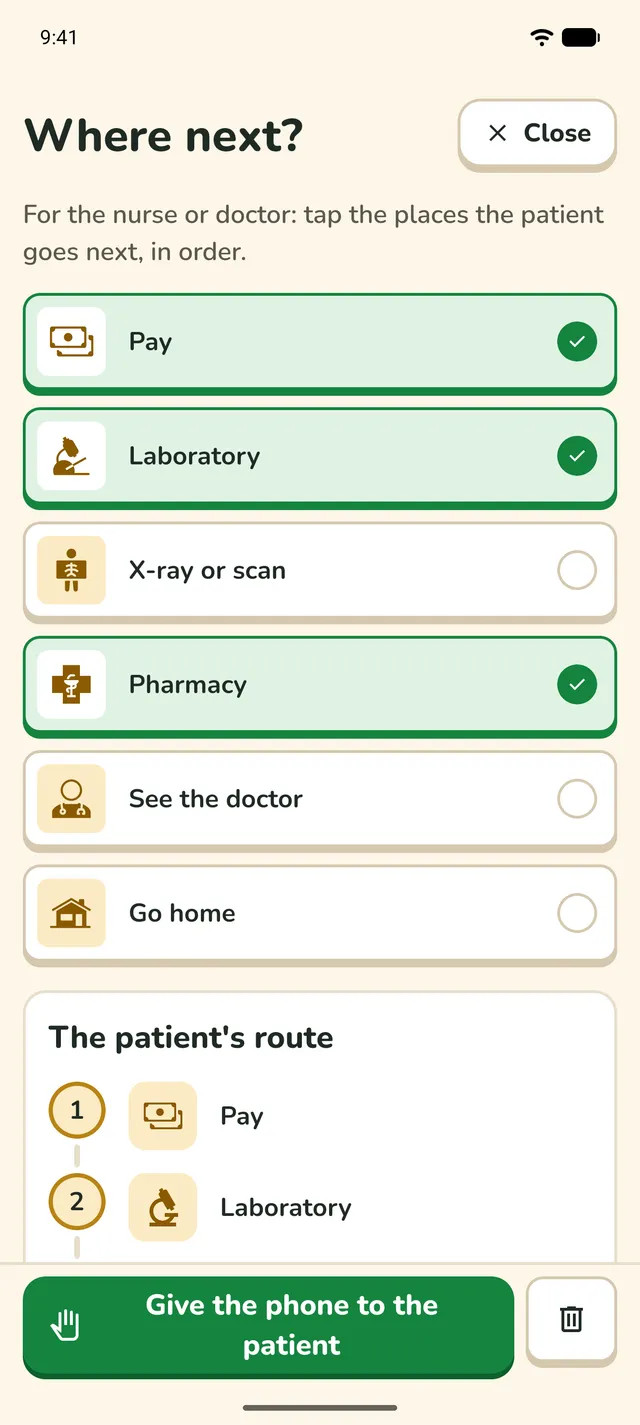
Before the patient leaves, the nurse taps the places they go next, in order: pay, lab, scan, pharmacy, the doctor or home. The patient gets a picture card to show at each desk, and the route goes in the recap.

  • Stops in order
  • A picture card for each desk
  • In the recap
"Where next?" with Pay, Laboratory and Pharmacy ticked.
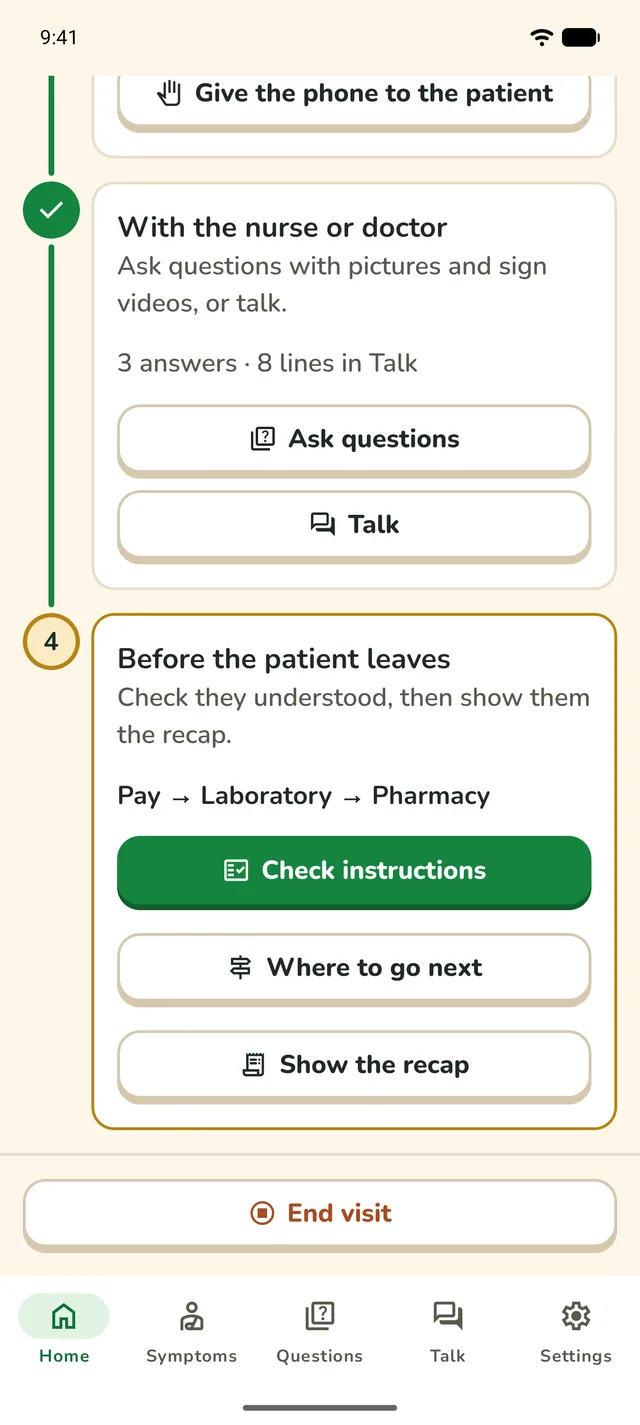
Home at the last step, showing the route "Pay, Laboratory, Pharmacy" and the Check instructions button.

Ready for the clinic

A short welcome guide shows staff how a visit works the first time the app opens. Settings is for the person who looks after the phone.

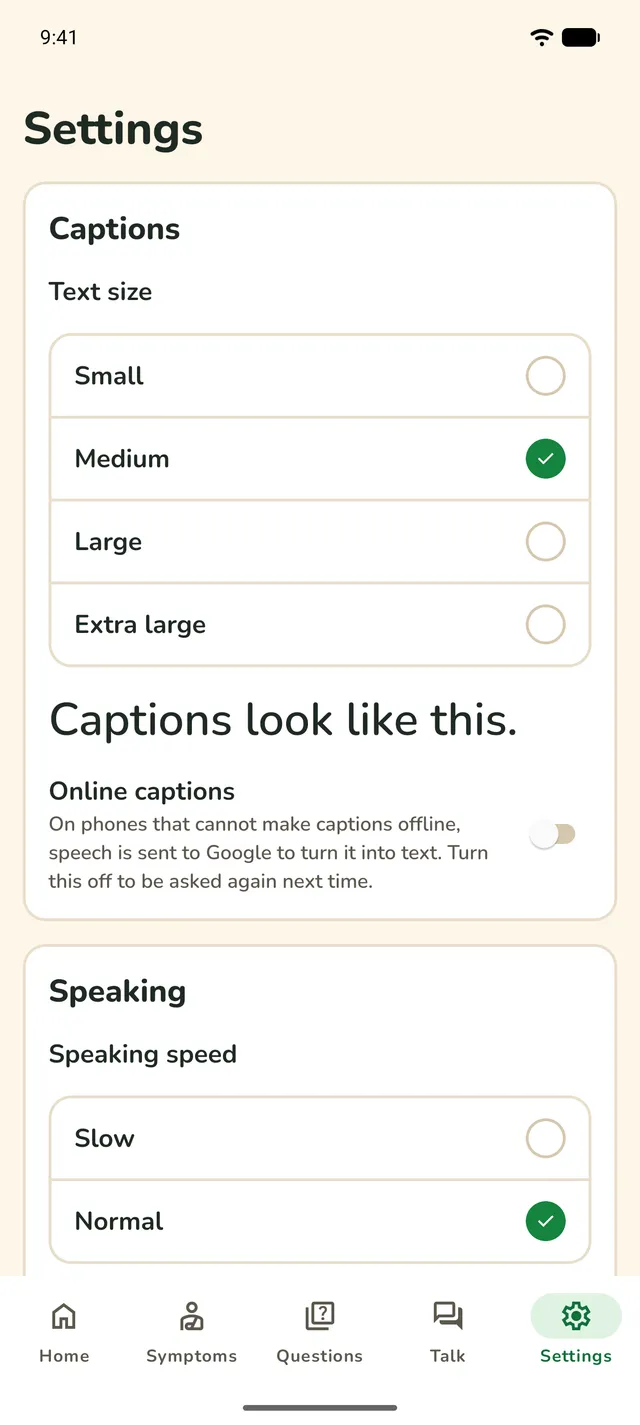
  • Caption size
  • Speaking speed
  • Captions notice
  • Favourites options
  • Delete everything
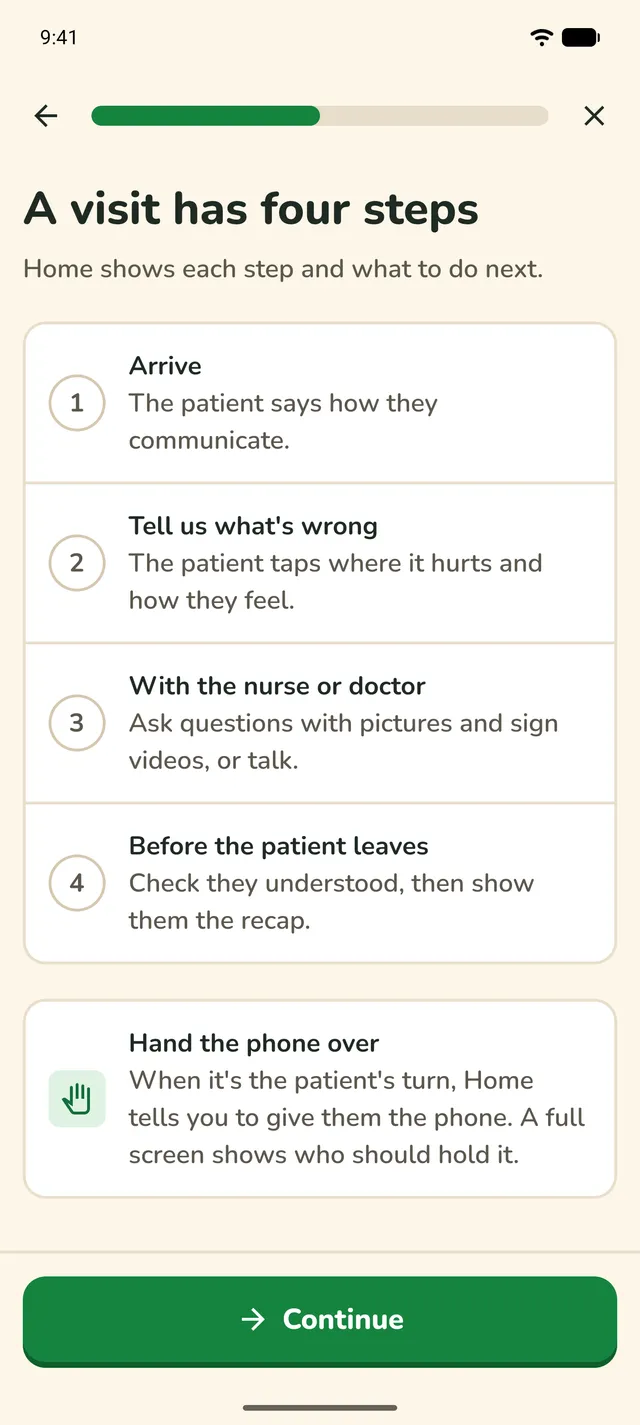
The welcome guide: "A visit has four steps".
Settings: caption text size, online captions and speaking speed.
Design

Made for a busy clinic

Calm, clear and quick, for patients who may be unwell and staff who have little time.

  • Pictures first

    Many Deaf adults in Ghana learned Ghanaian Sign Language first and read English as a second language. Every step works with pictures and taps.

  • Quick in a short consultation

    The main action on each screen is at most two taps away.

  • Nothing only by sound

    Everything that makes a sound also shows on the screen and gives a small vibration.

  • Easy to read and press

    Large text, large buttons and plain English. Labels are never in capitals.

  • For everyday phones

    Made for older and smaller Android phones, poor internet, large text and dark mode.

  • Calm, not a game

    No points or streaks. Things you can press look pressable, and a chosen answer shows a tick, not only a colour.

Privacy and safety

Built for a phone that many patients share

So silentcare keeps nothing about them.

  • No accounts and no server

    There is nothing to sign up for, and silentcare has no server of its own.

  • Nothing about patients is saved

    A visit lives only in the phone’s memory. End visit clears it, and a visit ends itself after 2 hours in the background.

  • Works offline

    Everything works without internet. The one exception: on Android 12 and older, captions use Google's online speech service, and only after the user agrees.

  • What the app keeps

    Which questions are pinned in Favourites, and how often each question is asked. Never who answered or what they said. Settings can clear it.